Your audio files should have all the information
In my older post, I tell you on how to ripping audio. And I combined it with Pano Scrobbler, and it's does the job pretty well. But it's just lack of some good information, like maybe Genre and better Artist formatting.

MusicBrainz Picard
It's an good tool to changing your music metadata and tags, also getting them from the MusicBrainz database.
You can install it via Flatpak, using this command
flatpak install flathub org.musicbrainz.Picard
...but if your package manager have it, you can install the picard package, which is available in my Arch.
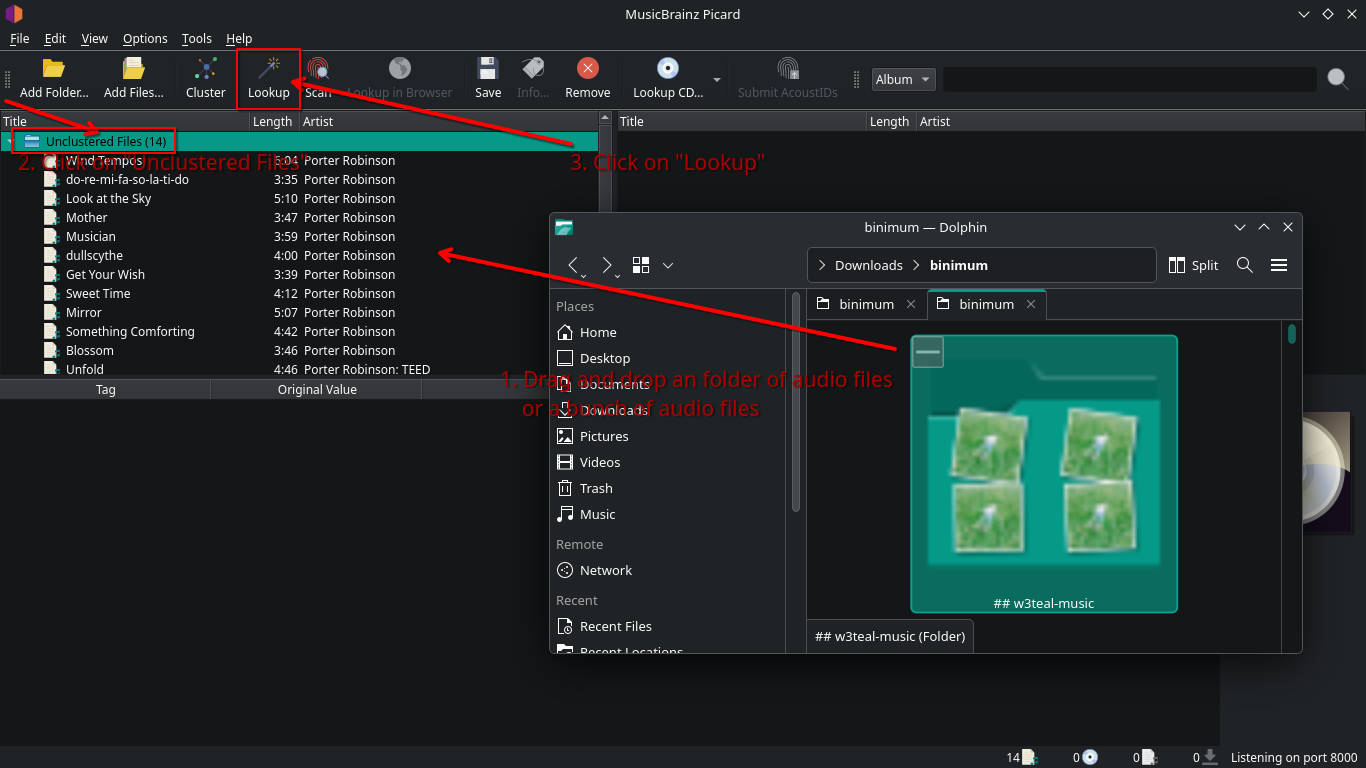
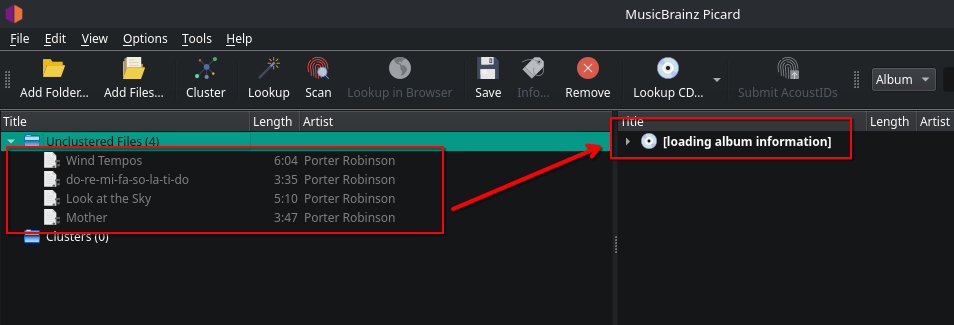
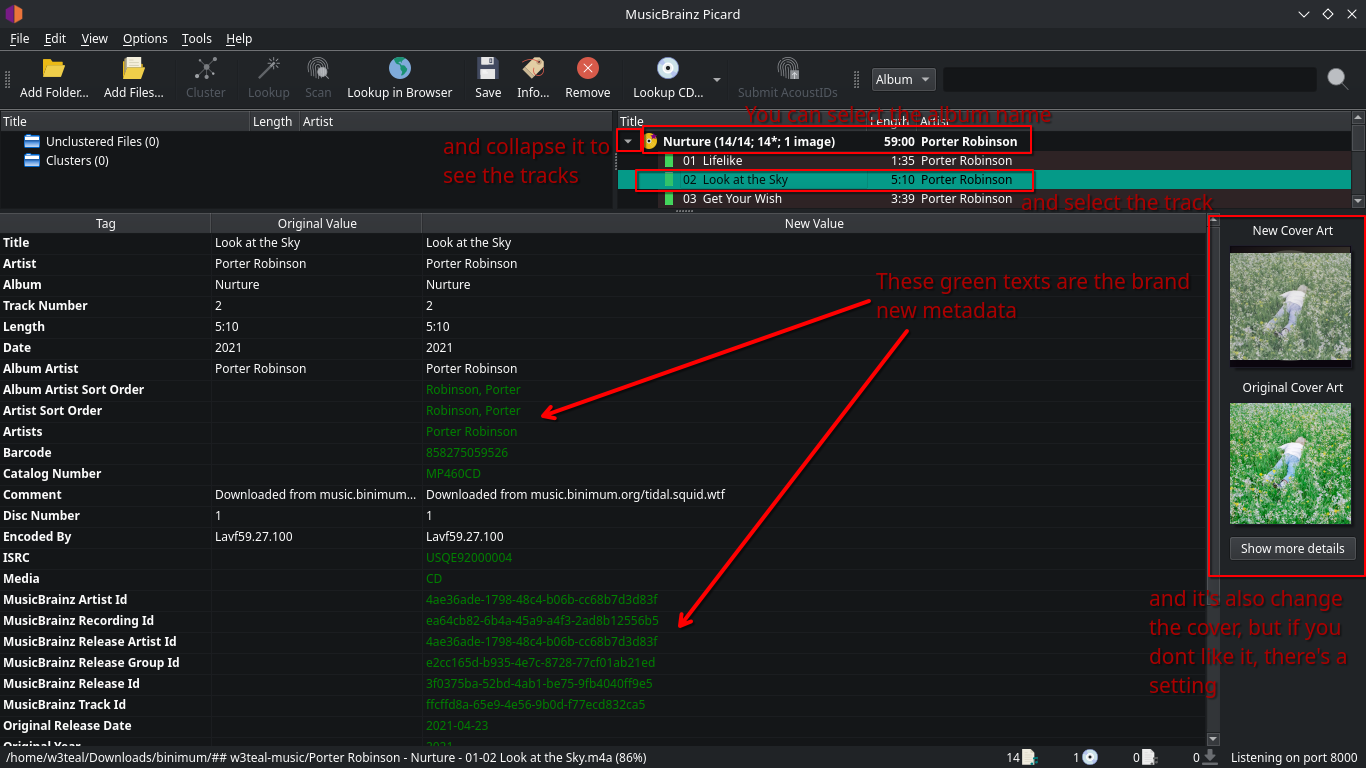
So, there's an image guide you can use.
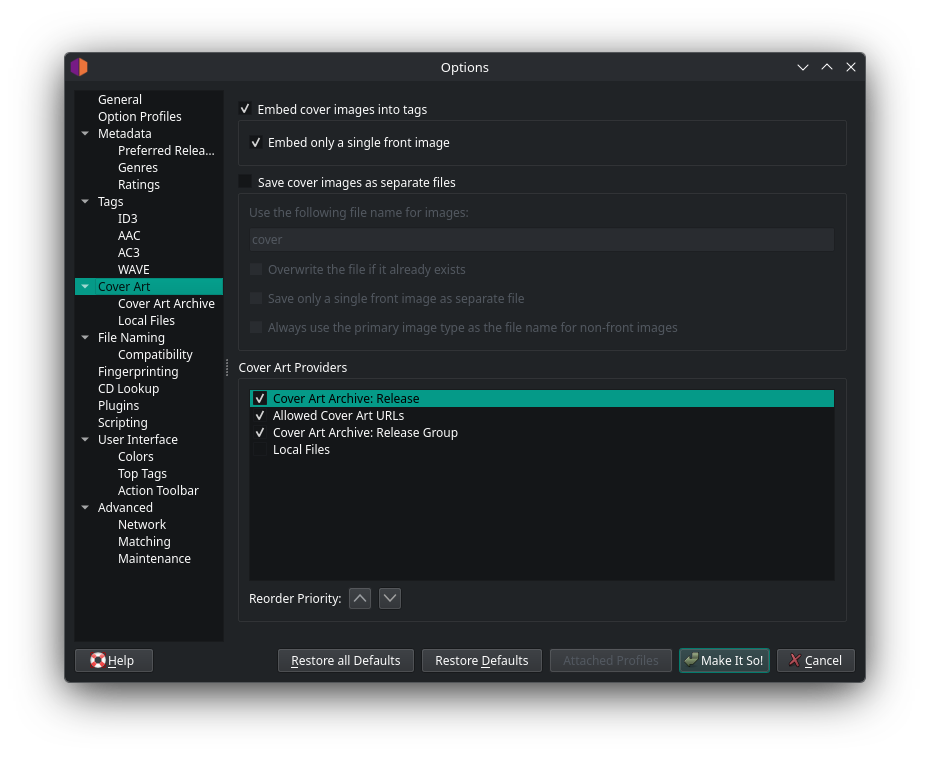
Optional: Disable nonsense cover changing [Options > Options > Cover Art], uncheck all the sources.
| Before | After |
|---|---|
 |
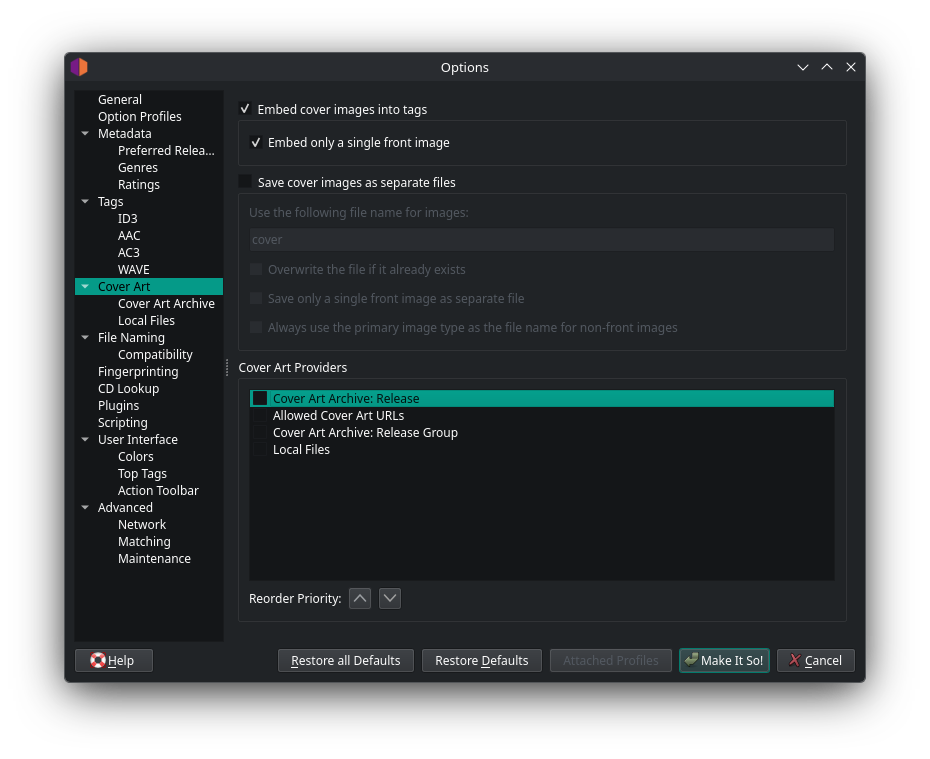 |
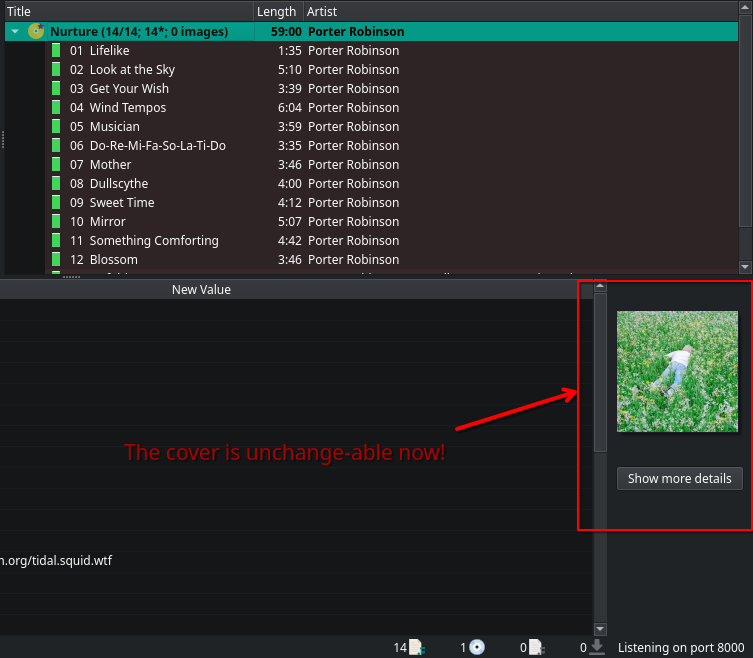
Hit on that "Make It So!" button, and you can close, and re-open the Picard app. Do the same thing with the Drag and Drop, and Lookup stuff. And then, you can see that your cover not replaced by the another.
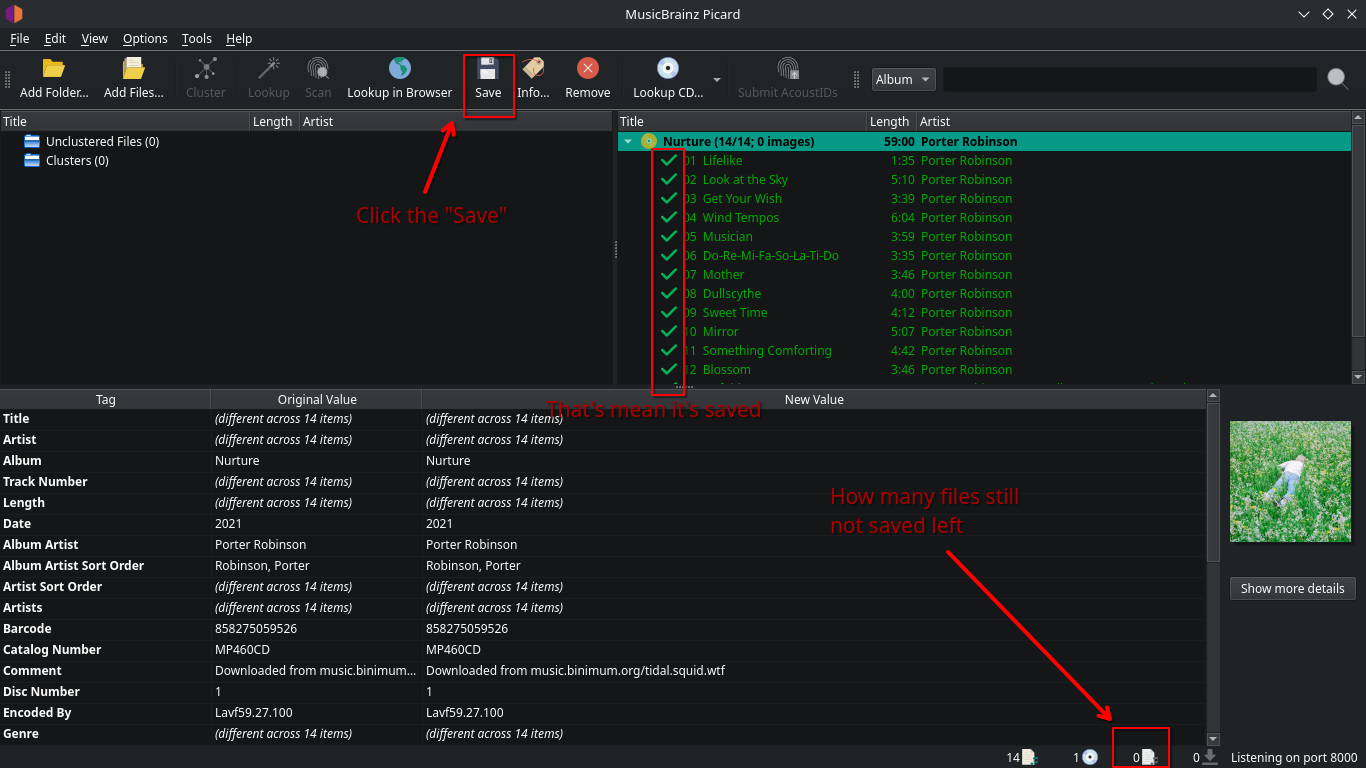
If you feels everything in it's right place, you can hit that "Save" button.
Recommended settings
Make the files structure better
By default, my audio ripper site has the album name and disc number in the filename, which is feels not clean. So, I can make it straightforward, and also even makes the structure better when compiled with another albums, not only a bunch of album audio files throw into 1 folder.
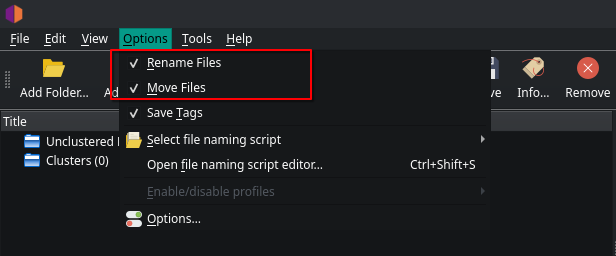
If you checked the "Move files" which will be making the files structure better, you can also change the Destination directory, which is for example I changed it to
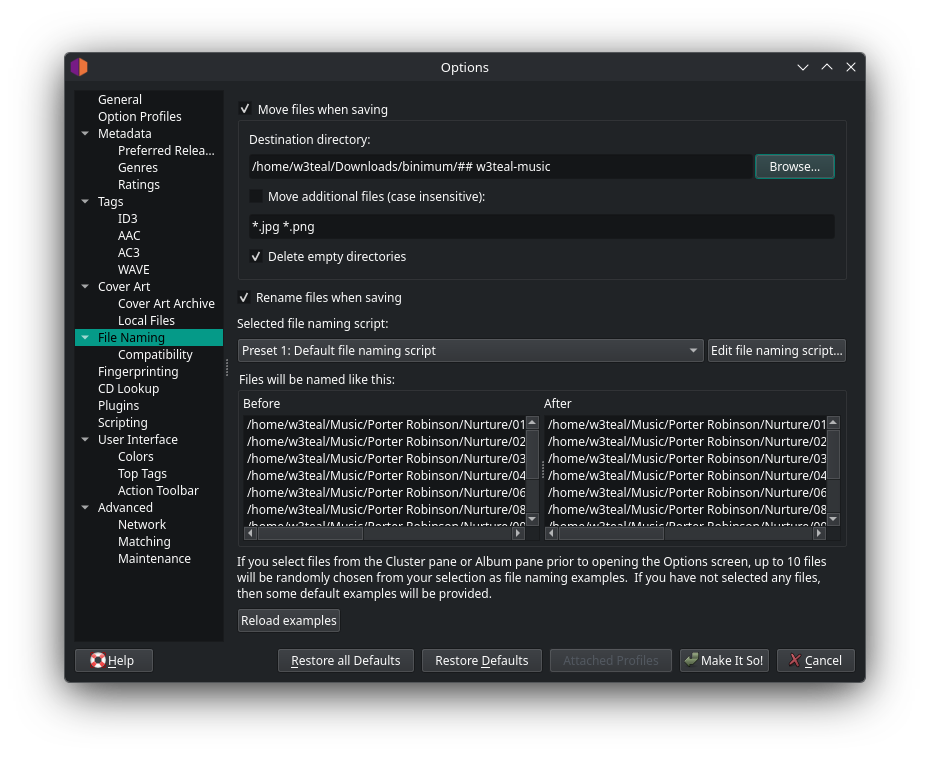
Before
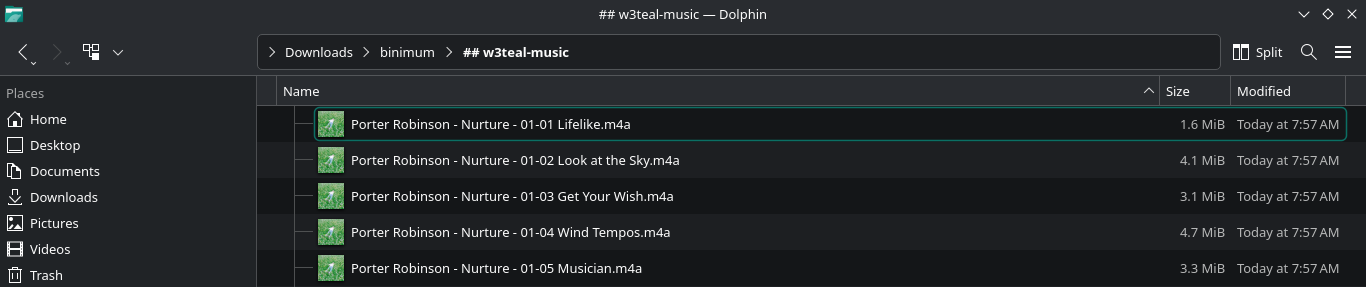
After
Genres
So you can browsing your music simpler. Click [Options > Options > Metadata > Genres].
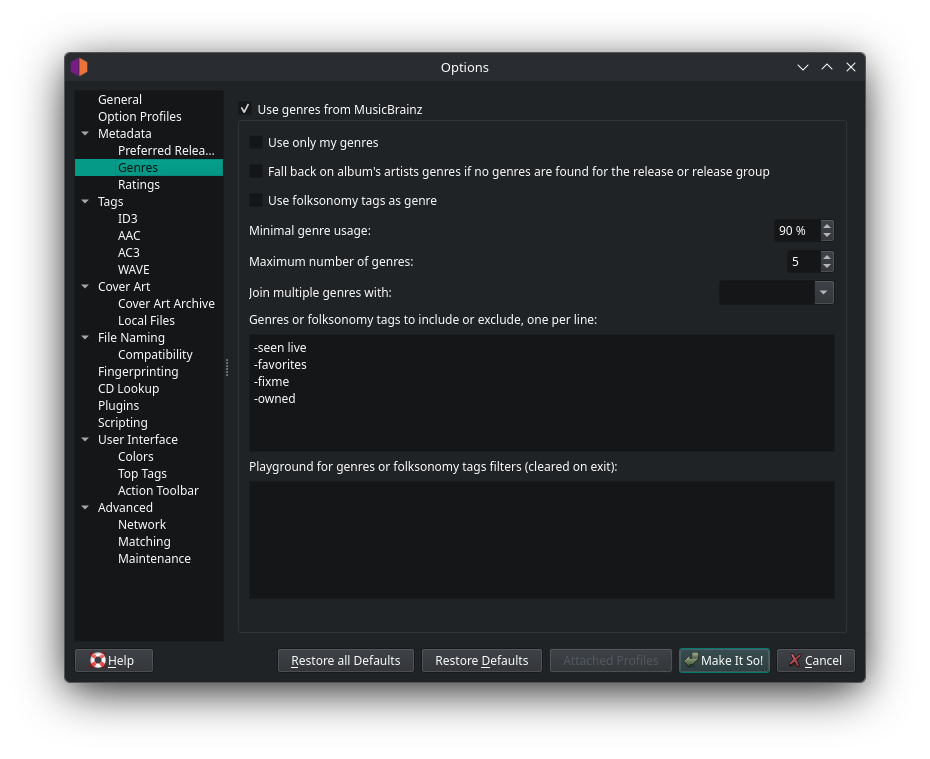
Hit on that "Make It So!" button, and you can close, and re-open the Picard app. Do the same thing with the Drag and Drop, and Lookup stuff. And then, you can see that your cover not replaced by the another. <-- Basically you need to do this everytime you change the settings that affect the Lookup.
Now in the table, you would see this new tag.

Last.fm issue
If you listening to an album, that has an collaboration track, it should be confusing, because the artists is being linked as the album artist. You can fix it by making the song artist to the album artist. [Options > Options > Scripting], Check "Enable Tagger Script(s)", and fill the code.
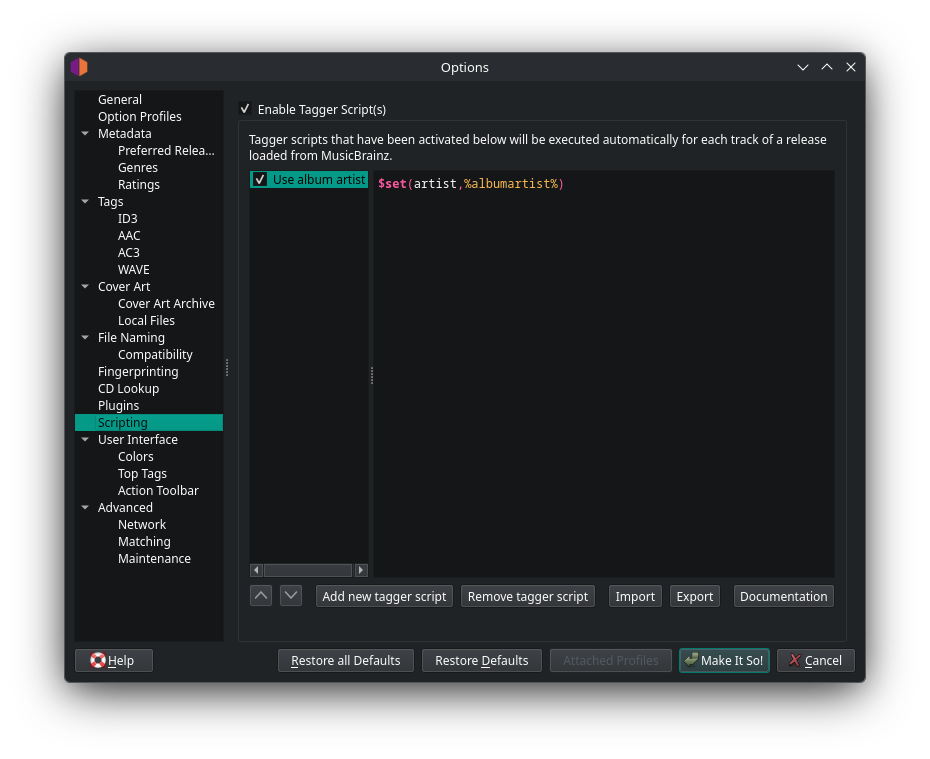
Hit on that "Make It So!" button, and you know what you do.